Nobody designed this: how an AI setup grew on a ten-year-old Sitecore solution
We never designed our AI setup. It grew out of one bug fix on a ten-year-old Sitecore solution, and the git history shows exactly how.


There is no shortage of advice on how to introduce AI into a development team. Agent architectures, orchestration frameworks, diagrams with an impressive number of boxes. Reading through it all, you could easily conclude that you need to design a small operating system before an AI assistant is allowed anywhere near your code.
Our situation looked less glamorous: a Sitecore solution that has been in production since 2016. If you also run one of those and wonder where to start, this post is for you. We did not start with a design either. We started with a bug fix.
Setting the scene
Earlier this year, we took over the maintenance and development of a Sitecore XM 10.3 solution: .NET Framework 4.8, an AngularJS frontend, a TypeScript compiler from 2016 and Windows Docker containers for local development. The platform strategy is deliberately unspectacular: stabilize and extend what is there, buy extended support, and do not rebuild. There is no SitecoreAI migration waiting around the corner to make everything modern.
I mention this because most AI content quietly assumes a greenfield. Whatever AI was going to do for us, it had to happen on this codebase, with these constraints.
It started with a bug fix
I can date the beginning precisely, because it is in the git history. The first AI-related commit in the repository is from May 5th, and it contains two things: a fix for a contact form module, and a handful of small markdown files.
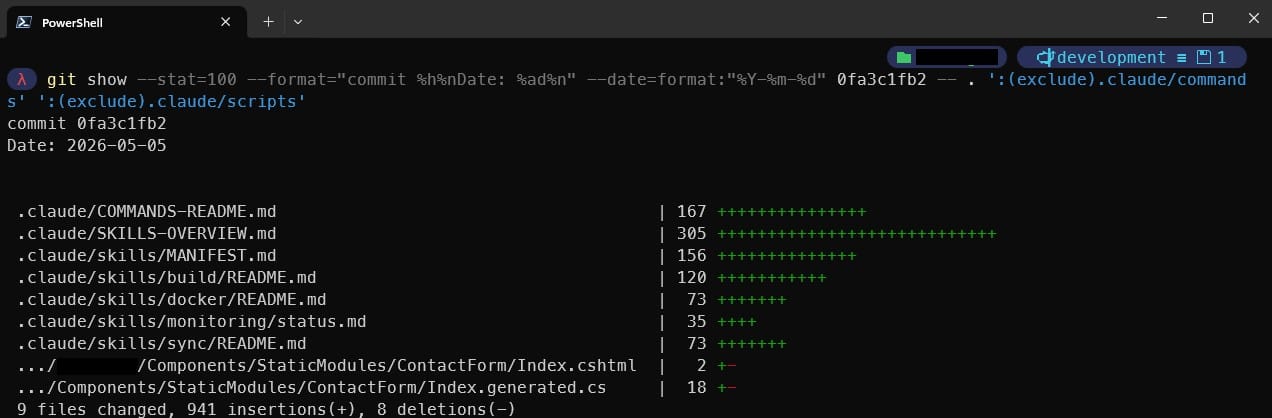
The markdown files were skills: the term our AI coding agent, Claude Code, uses for small instruction files it loads when it needs them. While working the contact form ticket with the agent, I got tired of explaining the same three things in every new session: how to start the local containers, how to run a build, and which of the three deployment routes a change actually takes to reach the CM.
So instead of explaining it all once more, I had the agent write down what we had just figured out and committed the notes together with the fix. This is the condensed version of the deployment one:
## How a change reaches the running CM
- Sitecore items (templates, content): change them in Sitecore,
  then serialize. Never edit serialized .yml by hand.
- Backend (C#): MSBuild publish via the Docker profile
  into the cm container's deploy folder.
- Frontend (JS/TS/LESS): Grunt build + sync.
  MSBuild does NOT ship the frontend.
The bug fix shipped. The skills stayed. That was the whole plan, because there was no plan. The first commit even contained several overlapping index files for that handful of skills, which tells you exactly how much grand design was involved.
The extraction loop
What happened over the following weeks was a loop that we only recognized as one much later:
- Whenever I explained something to the agent a second time, it became a committed skill.
- Whenever I corrected the agent, the correction became a rule inside an existing skill.
The commit log from that period reads like a diary of needs, not like a roadmap:
2026-05-12 Add /publish-backend skill for deploying C# changes to CM container
2026-06-05 chore: add Sitecore specialist agent and knowledge base
2026-06-08 chore: add /sync-push-dev skill for remote dev serialization push
Every one of those exists because on that particular day, something was missing. The deploy skill appeared the first time we needed to ship a C# change with the agent's help. The Sitecore specialist, a sub-agent that owns all work on items and templates, appeared once it was clear that Sitecore item work needs its own guardrails. That story is worth a post of its own, and it will get one.
Structure has to earn its way in
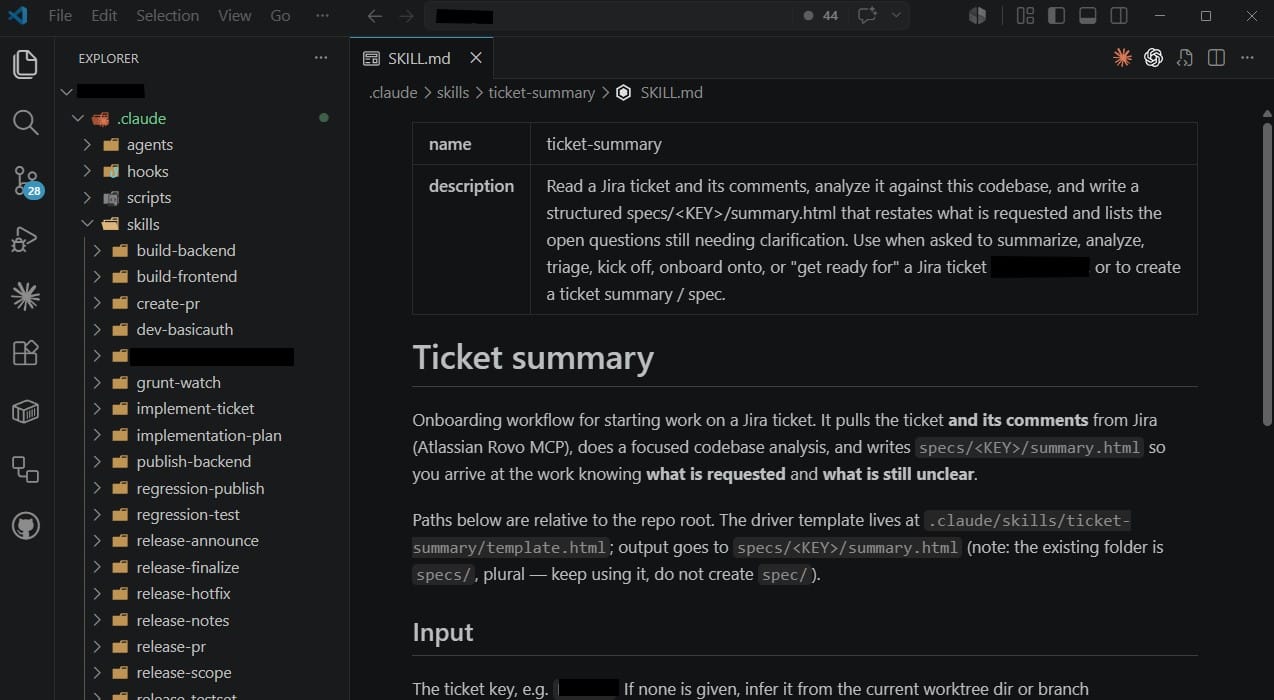
By mid-June, enough pieces existed that working a whole ticket with the agent, from reading it in Jira to opening the pull request, felt within reach. So we did exactly one ticket that way and turned each of its five steps into a reusable instruction while working it: read and summarize the ticket, write an implementation plan, implement, verify the result, open the pull request. You can see the pattern in the history. Every step was committed together with the real output it had just produced for that ticket: the summary instruction with the ticket's actual summary, the planning instruction with the ticket's actual plan, the verification instruction with its actual verification report.
Only after all five steps existed did we add a workflow command, itself just another skill, that chains them together. And only after that did a cleanup commit unify the file formats and consolidate my overlapping index files into one. Content first, then structure, then conventions. That is the exact reverse order of every architecture diagram I have ever drawn.
My favorite detail: eight weeks in, we retired our first attempt at batch automation and replaced it with a more general one. A tool that had not existed ten weeks earlier was already legacy in July. That sounds wasteful, but I have come to read it as the healthiest sign in the whole story: the setup evolves as fast as we learn.
Where this leaves us
Today the repository contains around 36 of these skills, six specialized sub-agents and a documented workflow that takes a ticket from Jira to a pull request. Since May, we went from shipping a release roughly every six weeks to one every two or three weeks. Not all of that is the agent's doing, but it certainly did not hurt. Still, those numbers describe a result, not a plan. If you had asked me in April to design 36 skills for this project, I would have designed the wrong 36.
And that is the actual point: you cannot know in advance what an AI agent will be good at on your codebase (and just as important, what it will reliably get wrong) until it has worked real tickets on it. On a ten-year-old solution with its own history and quirks, that goes double.
Wrapping up
If I compress these two months into four sentences: Start where the work is, not where the tooling is. Extract what repeats. Let structure earn its way in. Expect to retire things quickly.
This is the first post in a series about applying AI agents to a legacy Sitecore project. The next ones go deeper into the individual parts: the ticket workflow and its artifacts, letting an agent touch the content tree without silently breaking things, unattended ticket batches, and the things we deliberately keep the AI away from. I hope some of it proves useful for your own experiments. Legacy Sitecore solutions deserve nice things too.